Introduction
In the previous article in this series, Unity DOTS Custom Native Container Part 3: Parallel Job Using Min Max, we added support for parallel jobs. But these jobs were limited to writing to a single index of the array. In this article we will remove this limitation from our NativeIntArray by adding support for ParallelWriter. The article assumes basic (C#) multithreading knowledge.
The result of the previous article can be found here.
The final result of this article can be found here.
1) ParallelWriter Struct
First we must add a ParallelWriter struct within our NativeIntArray struct. This is essentially a new container that only allows writing to the array, but allows multiple threads to do so. The actual write operations are implemented using the Interlocked class. This class provides atomic operations. More information can be found here.
    /*
     * ... More Code ...
     */

    // Allow parallel writing through NativeIntArray.ParallelWriter in a parallel job.
    // No reading allowed.
    [NativeContainerIsAtomicWriteOnly]
    [NativeContainer]
    unsafe public struct ParallelWriter
    {
        // Copy pointer of the full container.
        [NativeDisableUnsafePtrRestriction] internal void* m_Buffer;
        internal int m_Length;

        // Copy the safty handle. The dispose sentinal doesn't need to be copied as no memory will be allocated within this struct.
#if ENABLE_UNITY_COLLECTIONS_CHECKS
        internal AtomicSafetyHandle m_Safety;
#endif
        // Copy length for convenience
        public int Length => m_Length;

        public int Increment(int index)
        {
            // Increment still needs to safety check for write permissions and index range.
#if ENABLE_UNITY_COLLECTIONS_CHECKS
            AtomicSafetyHandle.CheckWriteAndThrow(m_Safety);
            if (index < 0 || index > Length)
                throw new IndexOutOfRangeException(string.Format("Index {0} is out of range of '{1}' Length.", index, Length));
#endif
            // Increment is implemented as an atomic operation since it can be incremented by multiple threads at the same time.
            return Interlocked.Increment(ref *((int*)m_Buffer + index));
        }

        public int Decrement(int index)
        {
#if ENABLE_UNITY_COLLECTIONS_CHECKS
            AtomicSafetyHandle.CheckWriteAndThrow(m_Safety);
            if (index < 0 || index > Length)
                throw new IndexOutOfRangeException(string.Format("Index {0} is out of range of '{1}' Length.", index, Length));
#endif
            return Interlocked.Decrement(ref *((int*)m_Buffer + index));
        }

        public int Add(int index, int value)
        {
#if ENABLE_UNITY_COLLECTIONS_CHECKS
            AtomicSafetyHandle.CheckWriteAndThrow(m_Safety);
            if (index < 0 || index > Length)
                throw new IndexOutOfRangeException(string.Format("Index {0} is out of range of '{1}' Length.", index, Length));
#endif
            return Interlocked.Add(ref *((int*)m_Buffer + index), value);
        }
    }

    /*
     * ... More Code ...
     */
2) AsParallelWriter
We define a function to create a NativeIntArray.ParallelWriter out of our container. Its implementation listed below should be pretty straight forward.
    /*
     * ... Previous Code ...
     */

    public ParallelWriter AsParallelWriter()
    {
        ParallelWriter writer;

#if ENABLE_UNITY_COLLECTIONS_CHECKS
        AtomicSafetyHandle.CheckWriteAndThrow(m_Safety);
        writer.m_Safety = m_Safety;
        AtomicSafetyHandle.UseSecondaryVersion(ref writer.m_Safety);
#endif
        writer.m_Buffer = m_Buffer;
        writer.m_Length = m_Length;

        return writer;
    }

    /*
     * ... More Code ...
     */
Usage
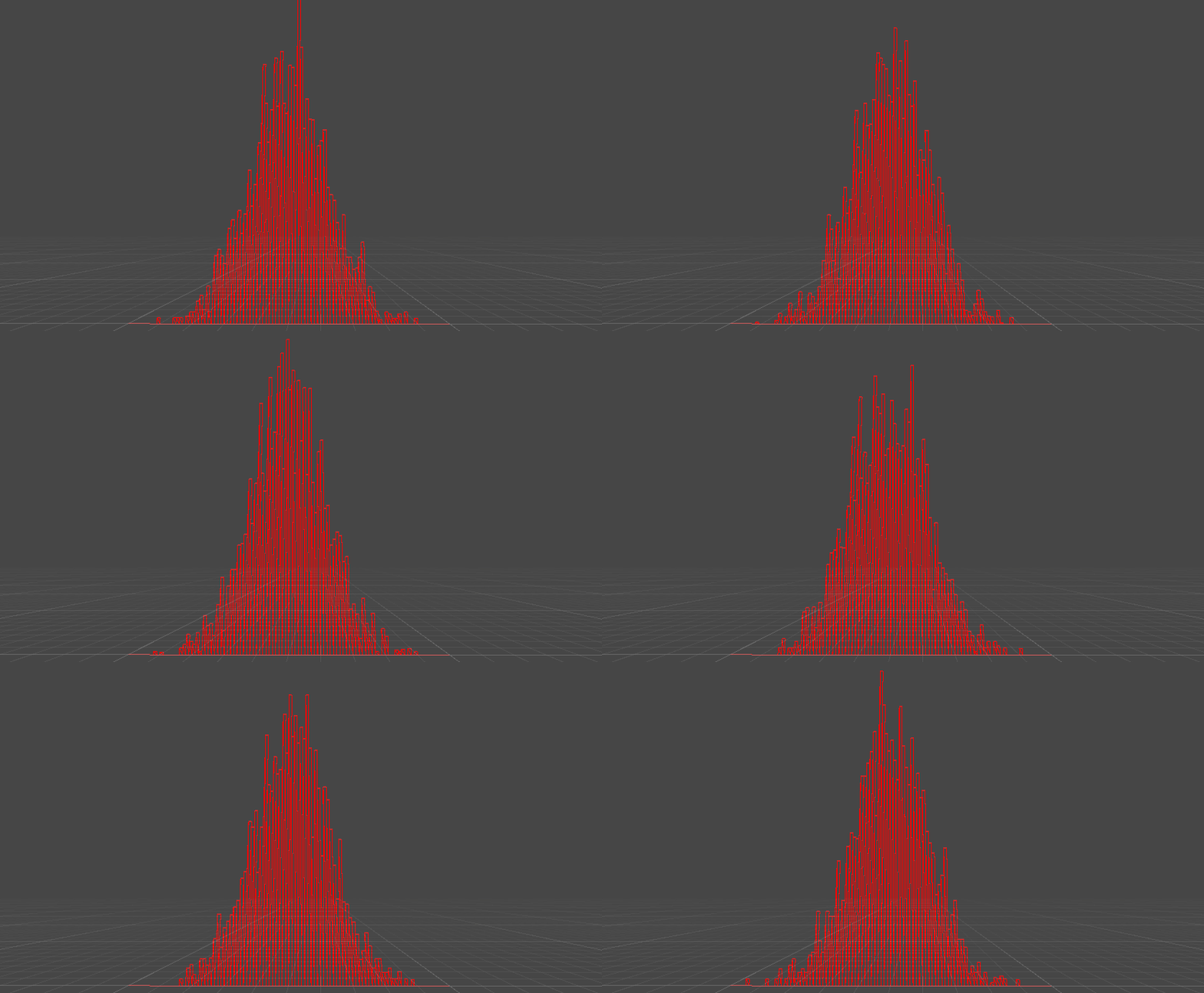
Thats all we need to implement parallel writing. To prove that our container is in fact now capable handling multiple writers, lets implement something visually interesting. The job below picks a random index in the container and increments it’s value in parallel. Random indices are picked according to a normal distribution thats than drawn to the screen as a bar graph. This results in a Galton board!
using Unity.Burst;
using Unity.Collections;
using Unity.Entities;
using Unity.Jobs;
using Unity.Mathematics;

public class NativeIntArraySystem : SystemBase
{
    [BurstCompile]
    struct ParallelWriteNormalDistributionJob : IJobParallelFor
    {
        public Random random;
        public NativeIntArray.ParallelWriter array;

        public void Execute(int index)
        {
            // Calculate normal distribution.
            double u1 = 1.0 - random.NextDouble();
            double u2 = 1.0 - random.NextDouble();
            double randomStdNormal = math.sqrt(-2.0 * math.log(u1)) * math.sin(2.0 * math.PI * u2);
            double randomNormal = (array.Length / 2) + randomStdNormal * (array.Length / 8);

            // Use the normal distribution to pick an element to increment.
            int arrayIndex = math.clamp((int)randomNormal, 0, array.Length - 1);

            // Use our atomic operation.
            array.Increment(arrayIndex);
        }
    }

    protected override void OnUpdate()
    {
        NativeIntArray myArray = new NativeIntArray(100, Allocator.TempJob);

        // Fill myArray with normal distribution values.
        JobHandle jobHandle = new ParallelWriteNormalDistributionJob()
        {
            random = new Random((uint)UnityEngine.Random.Range(0, int.MaxValue)),
            array = myArray.AsParallelWriter()
        }.Schedule(10000, 64); // Run our job a 10000 times in batches of 64 (values chosen randomly).

        jobHandle.Complete();

        // Draw each element in myArray as a bar graph where it's value is the height of the bar.
        Job.WithName("DrawBarGraph")
            .WithReadOnly(myArray)
            .WithoutBurst()
            .WithCode(() =>
            {
                for (int i = 0; i < myArray.Length; i++)
                {
                    float barWidth = 1.0f;
                    float barHeight = (myArray[i] / 40.0f) * 10.0f;
                    DrawBar(new float2(i * barWidth, 0), new float2(barWidth, barHeight));
                }
            }).Run();


        myArray.Dispose();
    }

    private void DrawBar(float2 position, float2 size)
    {
        UnityEngine.Color color = UnityEngine.Color.red;
        float3 lowerBound = new float3(position.xy, 0);

        UnityEngine.Debug.DrawLine(lowerBound, lowerBound + new float3(size.x, 0, 0), color);
        UnityEngine.Debug.DrawLine(lowerBound, lowerBound + new float3(0, size.y, 0), color);
        UnityEngine.Debug.DrawLine(lowerBound, lowerBound + new float3(size.xy, 0)  , color);

        lowerBound += new float3(size.xy, 0);
        UnityEngine.Debug.DrawLine(lowerBound, lowerBound + new float3(-size.x, 0, 0), color);
        UnityEngine.Debug.DrawLine(lowerBound, lowerBound + new float3(0, -size.y, 0), color);
    }
}
Conclusion
This article showed how to add support for ParallelWriter. Normal concurrent data structure design applies, so we can implement our operations using the Interlocked class. One thing to note however is that our container is not a managed object, and can therefore not be locked to a thread. This means that all native containers need to be designed as lock free data structures. In the next part we will look into how we can use the thread index to implement a new lock free data structure.